Got Rejected by the App Store Before Approval? Here’s What We Learned


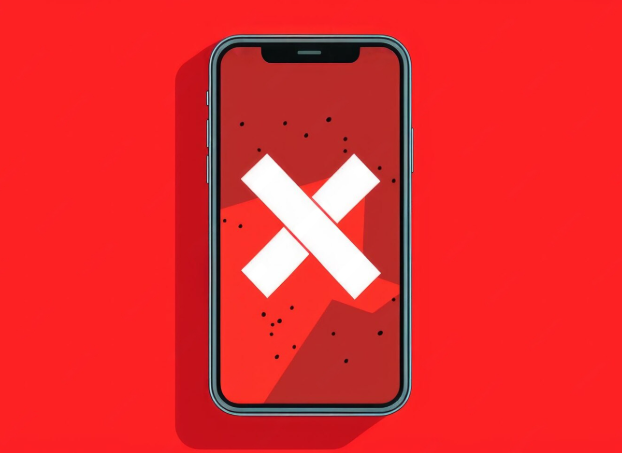
Launching an app on the Apple App Store sounds straightforward—until you actually go through the review process.
We recently built a social app from scratch, and like many first-time publishers, we underestimated how complex and opaque the review system can be. What followed was a series of multiple rejections over a few weeks.
Here’s exactly what happened—and what you can learn from it.
Rejection #1:Guideline — Spam
This was the toughest one.
Apple flagged our app for being too similar to existing apps in a saturated category. In other words, they didn’t see enough differentiation.
What we did:
- Submitted a detailed appeal explaining how our app was structurally different
- Highlighted our core mechanics, unique value proposition, and business model
- Included insights from early user testing
- Completely rewrote our App Store listing:
- Description
- Keywords
- Screenshots
- Repositioned the app from a generic category to “social discovery”
We never received a direct response to the appeal—but the next rejection didn’t mention spam. That’s how we knew we had cleared it.
Rejection #2 & #3: Guideline — App Completeness (Bugs)
Apple identified a bug on the onboarding preferences screen.
We fixed it and resubmitted only to get rejected again for the same issue.
What went wrong:
The second review was conducted on an iPad, even though our app was configured for iPhone only.
What we did:
- Responded directly in the Resolution Center (instead of resubmitting)
- Clarified that iPad was not a supported device
- Requested re-testing on iPhone
It worked. The issue was cleared.
Key lesson:
- Don’t resubmit if you’re just clarifying something.
Reply directly—resubmitting resets your position in the review queue.
Rejection #4: Guideline — Privacy (Location Permission)
Our location permission message was too vague.
Original:
“We use your location to show nearby matches and improve recommendations.”
Updated:
“We use your location to show experiences near you on the map—for example, coffee meetups and activities within your preferred distance.”
Key takeaway:
Apple expects specific, user-facing examples, not generic explanations.
Rejection #5: Privacy (Photos) + Age Rating Issue
Two issues came up in the final round:
1. Photo Library Permission
Again, our message was too generic. We rewrote it with a clear, real-world example.
2. Age Rating Misconfiguration
We had mistakenly enabled “Age Assurance”, even though our app only uses a basic birthdate check.
That’s not considered true age verification.
Fix:
- Updated the permission string
- Set Age Assurance to No
We resubmitted—and finally got approved.
What We Learned from 5 App Store Rejections
1. Read Rejection Messages Literally
Apple tells you exactly what’s wrong. Don’t overthink it or fix unrelated issues—address only what’s flagged.
2. You Can Push Back
We successfully challenged:
- The spam classification
- The incorrect iPad testing
If you’re right, it’s worth responding.
3. Use Resolution Center Strategically
- Reply for clarification
- Resubmit only when changes are made
This can save days in the review cycle.
4. Be Specific with Privacy Permissions
Generic language will get flagged every time.
Always include clear, real-world usage examples.
5. Expect an Unpredictable Timeline
Reviews ranged from:
- 24 hours
- Up to 5 days
There’s no consistent pattern.
6. Apple Support Is Available
Apple now offers the option to schedule a call during review issues. We didn’t use it—but it’s there if you get stuck.
Final Thoughts
If you’re going through the App Store review process right now and feeling stuck—you’re not alone.
If you have questions or are currently facing rejections, feel free to reach out—we’ve been through it all. We also help with App Store rejection fixes, iOS app approval issues, and mobile application developer support for publishing apps on the Apple App Store.
It’s a challenging system with limited documentation, especially for first-time developers. But once you understand how Apple evaluates apps, the process becomes much more manageable.
Get a high-performing mobile app built by expert US developers, Start your project today and turn your app idea into a scalable, revenue-driving solution
Read Morein this Article
Calculate your complete Business Central implementation cost using our cost calculator.
Contact usFrequently Asked Questions :
Please add FAQs from post edit screen.
Leave A Reply
Your Email Address Will not be published. Required Fields Are Marked
Related Blogs
Top 10 Mobile App Developers in Houston (2026 Edition)
Houston has become one of the fastest-growing technology hubs in Texas, with startups, enterprises, healthcare companies, logistics firms,...
May 8, 2026
Mobile Application Developer Hourly Cost in USA
In today’s digital-first world, mobile apps are no longer optional—they are a core part of how businesses operate,...
April 9, 2026Need Expert Advice to Start Your Transformation Journey?
If you are confused and need expert advice to transform your business, our experts are available 24/7.
Don't waste a single second, as you will be left behind while others are already ahead, moving fast. Start Now!
Trusted by Clients Worldwide: Rated 4.9 Star
Get 3 Free Quotes
Save 70% on employment costs, whilst driving quality & growth.
Access world-class App developers.
Get Free Instant Quote from 3 Top US-based App Developers
Fill out from below with your details to start conversation with our expert.